Draft — the prose on this page is AI-generated placeholder text. The headings, photos and specs are real; the write-up around them is not written yet.
Build log · 13 August 2026
Zynthian: Raspberry Pi 4 → Pi 5 upgrade
Lorem ipsum dolor sit amet, consectetur adipiscing elit. The Zynthian box has been running on a Pi 4 since it was built, and it shows: patch changes lag, the UI stutters under a full layer stack, and the fan spends more time audibly disagreeing with the CPU than actually cooling it. Sed do eiusmod tempor incididunt ut labore et dolore magna aliqua — none of that is a Pi 5 problem, allegedly.
Why the Pi 5
Ut enim ad minim veniam, quis nostrud exercitation ullamco laboris nisi ut aliquip ex ea commodo consequat. The short version1: roughly double the single-core throughput, PCIe for a real NVMe HAT instead of limping along on a microSD card, and enough headroom to stop worrying about buffer underruns during a live set.
Everything that has to come apart is in fig. 1. The part that matters is the ribbon bus2: it carries the encoders and the display, and it is the only connection that has to be re-seated blind once the lid goes back on. The HiFiBerry soundcard5 stays; the old iQaudIO card6 does not.
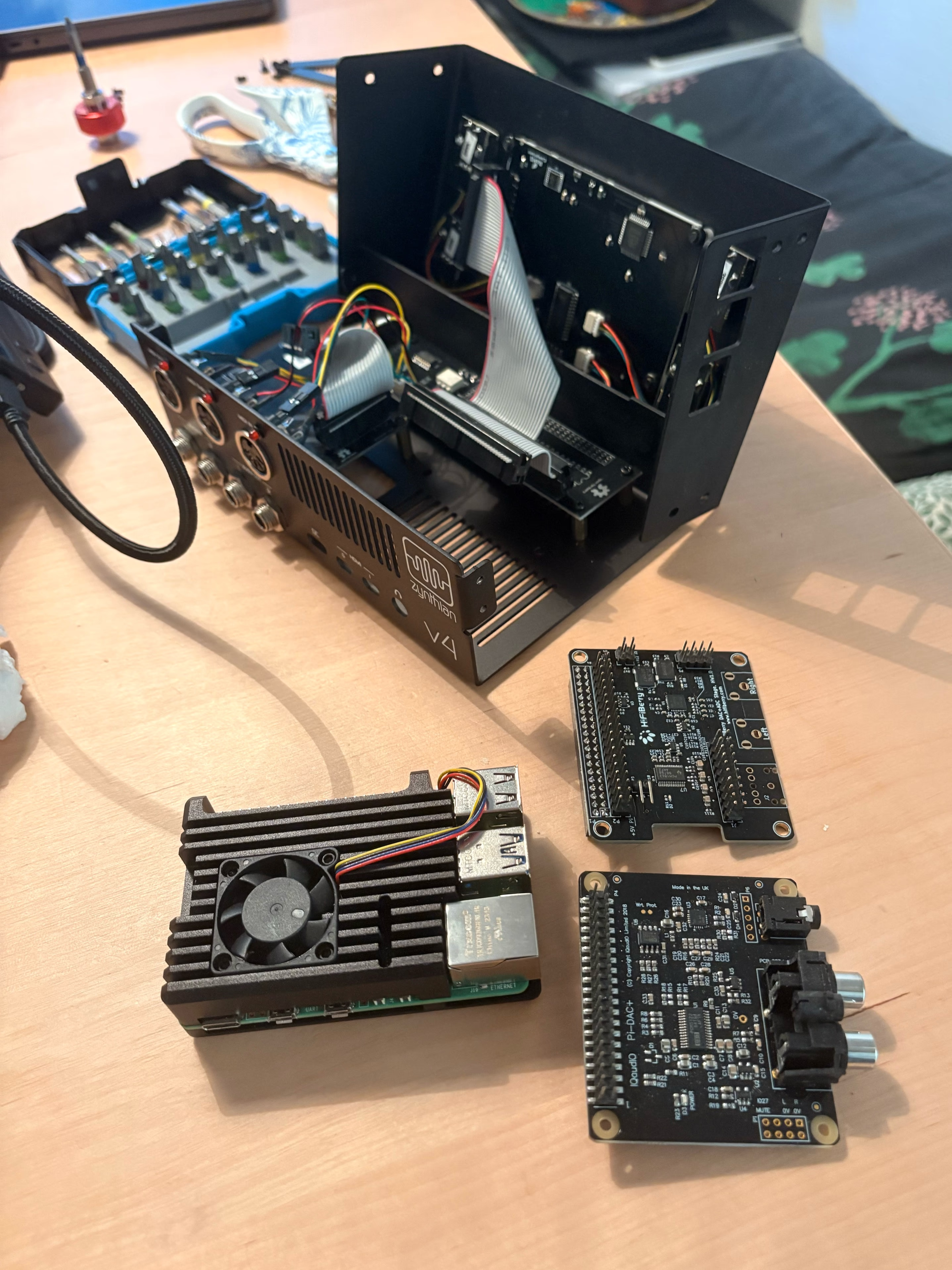 1Zynthian v4 front panel
2GPIO ribbon
3Encoder board
4Pi 4, heatsink case
5HiFiBerry DAC+ADC
6iQaudIO Pi-DAC+
1Zynthian v4 front panel
2GPIO ribbon
3Encoder board
4Pi 4, heatsink case
5HiFiBerry DAC+ADC
6iQaudIO Pi-DAC+
Duis aute irure dolor in reprehenderit in voluptate velit esse cillum dolore eu fugiat nulla pariatur. Excepteur sint occaecat cupidatat non proident, sunt in culpa qui officia deserunt mollit anim id est laborum.
Parts list
- Board
- Raspberry Pi 5, 8 GB
- Storage
- NVMe HAT + 256 GB stick, replacing the microSD
- Cooling
- Active cooler, official
- Case
- Existing Zynthian acrylic stack — should still fit
Case compatibility is “probably fine,” per three different forum threads and zero people who actually measured it. — a note I left myself, ignored, then had to revisit at 23:40 on a Thursday.
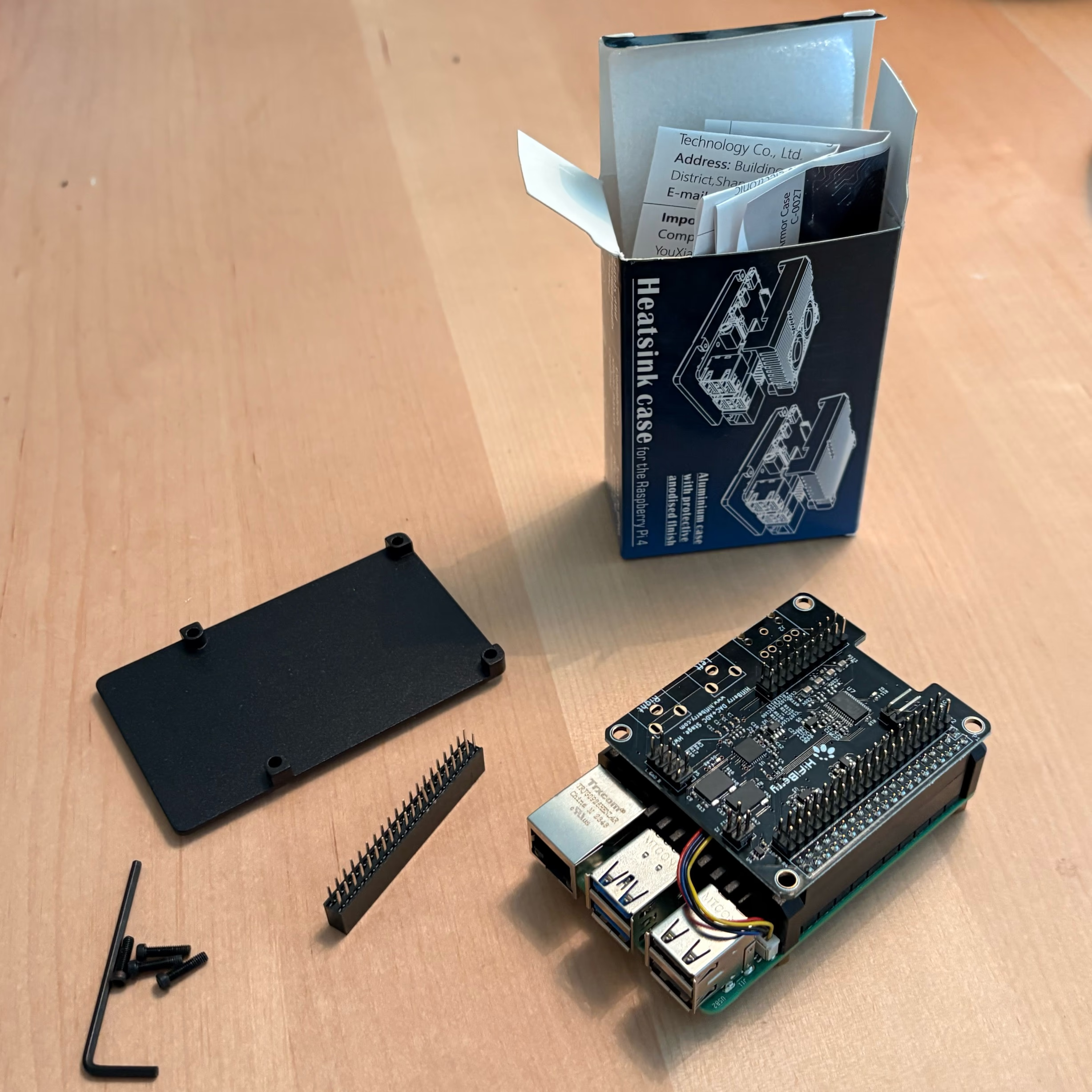
Sed ut perspiciatis unde omnis iste natus error sit voluptatem accusantium doloremque laudantium. The stack-up in fig. 2 is where the case-compatibility question actually gets answered: the 40-pin stacking headerB sets the height of everything above it, and the clearance over the USB stackR is what runs out first.
Gotchas
Sed ut perspiciatis unde omnis iste natus error sit voluptatem accusantium doloremque laudantium, totam rem aperiam eaque ipsa quae ab illo inventore veritatis et quasi architecto beatae vitae dicta sunt explicabo. The GPIO header moved fractionally; nothing else did.
Full boot log excerpt (click to expand)
[    0.512301] brcmfmac: F1 signature read @0x18000000=0x15264345
[    1.203981] usb 1-1: new high-speed USB device number 2
[    2.884012] zynthian-ui: waiting for jackd...
[    3.010552] jackd: no message buffer overruns
Nothing alarming, but I stared at it for a while anyway, because that’s the ritual.
Press Ctrl+C if zynthian-ui hangs on first boot — it usually doesn’t, once the wiring’s actually right2.
Cooling is the other unknown: the fan sits proud of the board by more than the old passive block did. Fig. 3 is that corner at 2.5×: a crop of the same photograph, annotated in its own coordinates.
Pi 4 vs Pi 5, on paper
| Spec | Pi 4 | Pi 5 |
|---|---|---|
| CPU | Cortex-A72 @ 1.8 GHz | Cortex-A76 @ 2.4 GHz |
| Storage I/O | microSD only | PCIe 2.0 (NVMe HAT) |
| Idle temp | ~48°C | ~41°C, active cooler |
Annotation vocabulary
Five marks, one contrast rule: a light face, a dark hairline, a white halo. Nothing relies on colour alone. Rouge is only ever the linked-to state.
- 7 Point, numbered Sequence, order of operations, parts in a list.
- F Point, lettered Unordered sets, so numbers stay free for steps.
- Region An area, a clearance, a crop shown elsewhere.
- named part Leader flag When there is empty space and the name is short.
- 2GPIO ribbon Marker + tooltip Hover, focus or link-target reveals the label.
- the ribbon bus2 Inline reference In prose, links to the mark on the photograph.
At vero eos et accusamus et iusto odio dignissimos ducimus qui blanditiis praesentium voluptatum deleniti atque corrupti. Full write-up with actual measurements — boot time, patch-load latency, thermals under a real set — , once it’s been gigged a few times instead of just bench-tested.